
Platform HYPR + ServiceNow Integration
Identity Verification for Cloudflare
Combine HYPR Affirm with Cloudflare Zero Trust to bring high-assurance identity verification into application access decisions. Confirm the real identity behind an account, then leverage Cloudflare apply Zero Trust policy before granting access to sensitive resources.
Verify the Real Person
Use configurable HYPR Affirm workflows to evaluate identity evidence such as government-issued documents, biometric matching, liveness detection, directory data, location, and additional approval or escalation steps.
Apply Contextual Access Policy
Cloudflare Access evaluates the verified identity alongside configured policies such as application entitlement, identity attributes, device posture, location, and session requirements.
Protect High-Risk Moments
Apply stronger identity assurance to privileged access, sensitive applications, third-party users, recovery processes, and other events where account-level authentication alone may not be sufficient.
How the integration works
Turn Verified Identity Into Enforced Access
Cloudflare Zero Trust controls who can reach protected applications and under what conditions. HYPR Affirm adds a critical layer of assurance: confidence that the person requesting access is the legitimate human behind the enterprise account.
Through a standards-based OpenID Connect integration, HYPR Affirm becomes part of the Cloudflare-protected access flow. When a privileged application requires step-up identity verification, the user completes the appropriate Affirm workflow. HYPR associates the verified person with their enterprise identity and returns a signed identity assertion. Cloudflare then evaluates its Zero Trust policies and makes the final access decision.
Together, HYPR and Cloudflare connect high-assurance identity verification with real-time access enforcement, helping organizations protect sensitive resources without replacing their existing directories, applications, or access architecture.
HYPR Affirm
Is this the legitimate person?
- ✓Configurable identity-verification workflows
- ✓Document, biometric, and liveness checks
- ✓Directory-based identity association
- ✓Risk-informed escalation and approval
Cloudflare Zero Trust
Should this person receive access now?
- ✓Application-level access policy
- ✓User and group requirements
- ✓Device posture and contextual controls
- ✓Session and access enforcement
The result
High-Assurance Access
A verified person. The right conditions. An enforced decision.
- ✓Apply step-up verification to privileged resources
- ✓Match verification strength to application sensitivity
- ✓Add identity assurance without reworking protected applications
- ✓Keep identity verification and access enforcement clearly separated
Workflow in action
See step by step how HYPR Affirm works with Cloudflare Zero Trust
Follow an access request from the protected application through identity verification and Cloudflare policy enforcement. Each step shows who is acting — the end user, HYPR, or Cloudflare.
- End user
- HYPR
- Cloudflare
Production Administration
Manage production systems and deployment settings.
Illustrative interface. Not an actual customer environment.
Step 1 — End user: Application request. The user attempts to open an application protected by Cloudflare Access. The application could be an administrative console, financial system, internal tool, or other sensitive resource.
Illustrative access flow
Step-up verification required
- ApplicationProduction Administration
- Access policyPrivileged application access
- Verification requirementStep-up identity verification (HYPR Affirm)
- StatusStep-up required
HYPR Affirm's step-up flow runs through your organization's HYPR tenant via OpenID Connect.
Step 2 — Cloudflare: Step-up verification required. Cloudflare intercepts the request and determines that this privileged application requires step-up identity verification, with the HYPR Affirm flow built directly into that step-up. The user is redirected to the organization's HYPR tenant through OpenID Connect.
HYPR Affirm
- Confirm identity informationComplete
- Government ID validationComplete
- Biometric and liveness checkIn progress
- Verification decisionPending
Verification requirements are configured by your organization.
Step 3 — End user: HYPR Affirm verification. The user completes the identity-verification workflow configured for the application. Depending on the required assurance level, the workflow can evaluate identity documents, biometric and liveness evidence, contact or directory data, location, and other risk signals.
HYPR verified identity
- NameAlex Morgan
- VerificationSuccessful
- LivenessConfirmed
Connected directory account
- Emailalex.morgan@acme.com
- Account statusActive
- AssociationConfirmed
Connected enterprise directory — for example, Okta or Microsoft Entra ID.
Step 4 — HYPR: Enterprise identity confirmed. HYPR confirms that the verified person corresponds to an existing identity in the organization's connected directory. This connects real-world identity evidence to the enterprise account requesting access.
OpenID Connect Issuer: Customer HYPR tenant Subject: Verified enterprise identity Email: alex.morgan@acme.com Signature: Valid
Illustrative claims. Actual claims depend on configuration.
Step 5 — HYPR: Verified identity assertion. After successful verification, HYPR completes the OIDC flow and returns a signed ID token containing the configured identity claims. Cloudflare validates the assertion before evaluating access policy.
Illustrative access flow
- Verified identityPass
- Approved user or groupPass
- Step-up verificationPass
- Device posturePass
- Application policyPass
Access granted
Protected session created according to Cloudflare policy.
Access denied
One or more required access conditions were not satisfied.
Step 6 — Cloudflare: Access decision enforced. Cloudflare evaluates the verified identity together with the application's configured Access policies. If every requirement is satisfied, Cloudflare creates the protected session and grants access. Otherwise, the request is denied.
Step 1 of 6: App request — End user
Integration Guides
Dive into our documentation on integrating HYPR with Cloudflare today.
Identity lifecycle
Extend Identity Assurance Beyond Application Access
The Cloudflare integration brings HYPR verification to the application access boundary. HYPR Affirm also supports identity workflows across the wider employee lifecycle.
Remote Onboarding
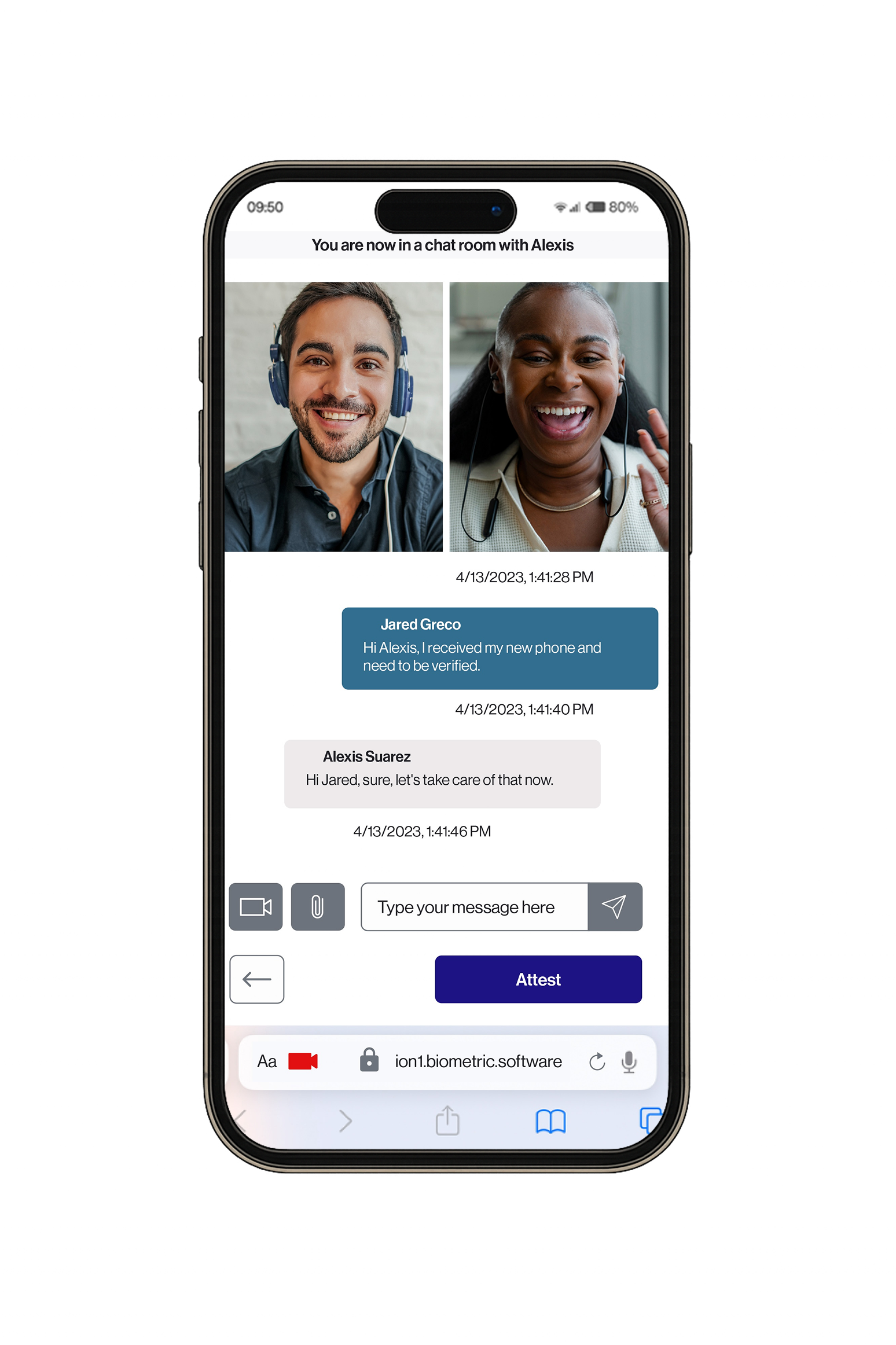
Verify new employees and contractors before credentials or application access are issued.
Workforce identity assurance →

Credential Reset and Account Recovery
Verify the person before resetting a password, replacing an authentication method, or restoring access to a locked account.
Secure password reset and account recovery →

Help Desk-Assisted Verification
Give support agents an auditable way to confirm a caller’s identity before performing a sensitive action.
Help desk identity verification →

Adaptive Response
Combine verification with broader identity-risk controls to apply stronger assurance when user behavior or environmental signals change.
HYPR workforce identity assurance →

Remote Onboarding
Request a Demo
Experience passwordless MFA that secures and empowers your business. See what identity verification built for the workforce looks like. Learn how comprehensive Identity Assurance protects the entire identity lifecycle.
Fill out the form to get a demo from an identity security expert, customized around your organization’s environment and needs.