The Passwordless Alternative to Windows Hello for Business

Windows Hello for Business can provide a strong foundation for identity verification and authentication within Microsoft environments, but it often falls short in the complex conditions of large organizations. HYPR goes beyond these limitations by delivering consistent, phishing-resistant MFA across all users, devices, and scenarios — without compromise.

Gemini_Generated_Image_d3htqgd3htqgd3ht

Comparing HYPR and Microsoft's Authentication Tools


This feature table compares the security, coverage, user experience, and cost between HYPR and Windows Hello for Business/Microsoft Authenticator.


Criteria HYPR Identity Assurance Windows Hello for Business + Microsoft Authenticator
Authentication Method Passwordless: Secure, passwordless authentication with consistent user experience Variable: Authentication method may vary by platform or use case
Phishing Resistance End-to-End: Strong cryptographic enforcement; no shared secrets. Partial: Fallback paths to PINs or passwords frequently remain.
Endpoint Coverage Universal: Broad cross-platform support (Win/Mac/Linux) + Offline login. Limited: Heavily Windows-focused; inconsistent coverage for non-Windows devices or operating systems.
Identity Verification (IDV) Built-in: Includes liveness checks and record matching for enrollment/recovery. Partner-Dependent: Often requires third-party tools or manual helpdesk flows.
Recovery UX Phishing-Resistant: Secure, self-service re-enrollment. Exploitable: Relies on helpdesk verification prone to social engineering.
Cost Predictability Fixed: Transparent, predictable licensing models. Variable: Dependent on premium add-ons or variable consumption fees.
Legacy Integration Deep: Full native support for Kerberos, ADFS, and traditional AD. Native: Optimized primarily for cloud-native Entra ID environments.

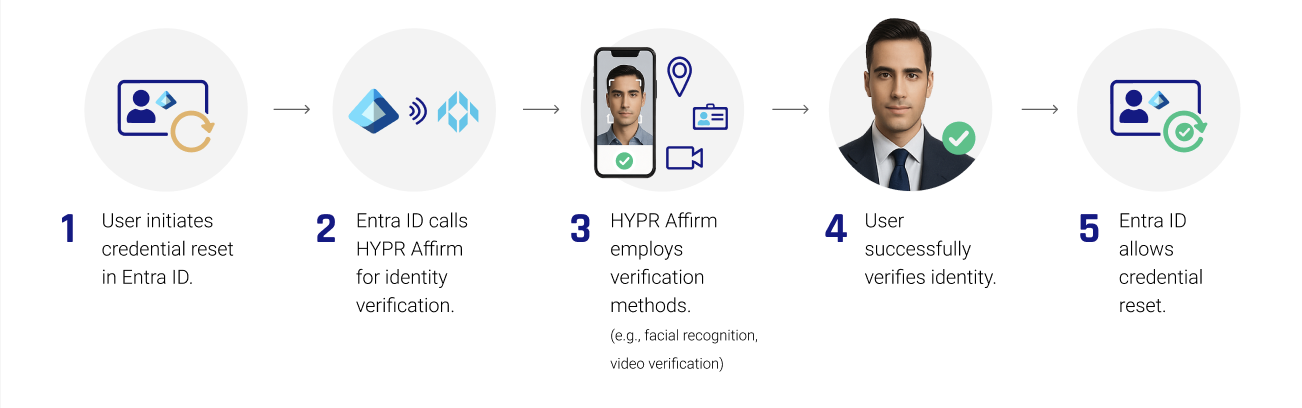
How HYPR Affirm Secures Credential Resets in Entra ID

Screenshot 2025-05-13 at 12.41.19 PM

Where HYPR Excels

HYPR excels in modern work environments where a variety of device types, operating systems, or work arrangements exist. This includes organizations with a mix of Windows and non-Windows devices, environments with remote, hybrid, or VDI-based workforces, or teams with shared workstations. Despite the complexity of the workforce, HYPR delivers uniform, phishing-resistant multifactor authentication across all devices and operating systems, so security doesn’t depend on what device a user happens to be using.

Where Hello for Business Excels

Environments that universally use Microsoft devices and Windows operating systems are where Microsoft authentication shines the most. When all endpoints are Windows devices joined to Entra ID (formerly Azure Active Directory), Hello for Business delivers a smooth, phishing-resistant login experience. Because the ecosystem is tightly integrated from operating system to identity provider, deployment and policy enforcement are straightforward, and users benefit from fast, passwordless sign-ins with minimal friction.

Integrate Seamlessly with Microsoft Environments

HYPR's Entra ID integration delivers end-to-end identity assurance, eliminating gaps across platforms, removing fallback vulnerabilities, and providing a resilient, enterprise-grade passwordless strategy that holds up under attack and audit.

Secure Modern Workforces

A key challenge with Hello for Business is its Windows-centric design. In modern enterprises, users operate across different operating systems or device types, virtual desktops (VDI), shared workstations, and roaming environments. WHfB does not extend cleanly into these scenarios, often forcing fallbacks to weaker authentication methods like passwords or PINs. HYPR eliminates this inconsistency by enforcing universal passwordless authentication, ensuring the same high level of security regardless of device or environment.

Fix the Fallback Problem

When WHfB encounters an unsupported scenario, it frequently prompts users to revert to shared secrets such as passwords or PINs. These fallback mechanisms undermine the very goal of passwordless security, creating exploitable entry points for attackers. HYPR removes this risk entirely by enforcing true passwordless authentication methods with no shared secrets, closing off the most common attack paths like phishing and credential replay.

Streamline Account Recovery

Traditional help desk-driven recovery processes are a major source of risk and operational cost. Native Microsoft workflows often rely on help desk-driven recovery processes, which introduce human vulnerability and are susceptible to social engineering. In contrast, HYPR provides secure, self-service recovery with built-in identity verification, reducing operational burden while strengthening security standards.

HYPR Enterprise Passkeys for Entra ID

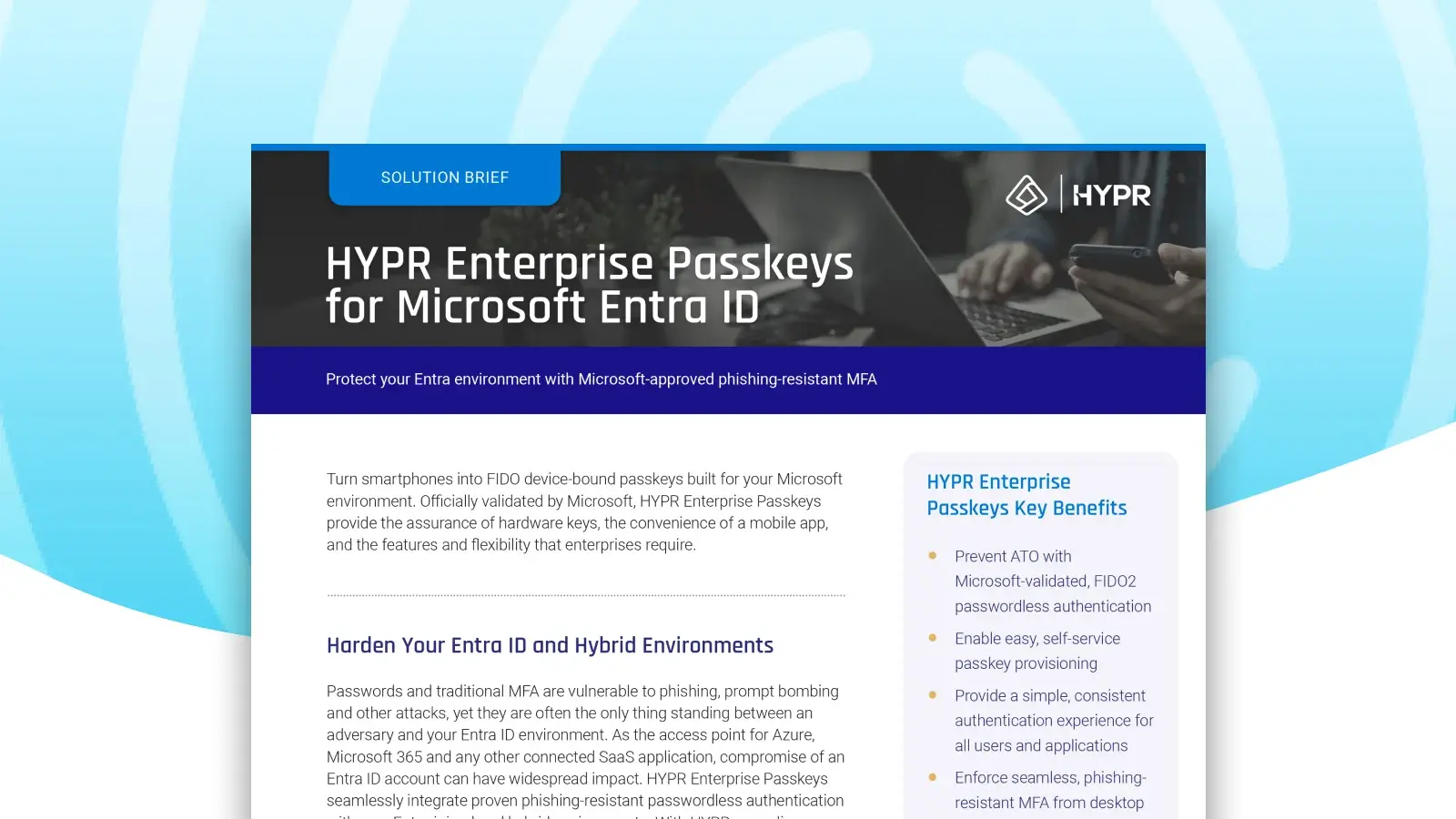
Turn your smartphone into a FIDO device-bound passkey built for your Microsoft environment. HYPR Enterprise Passkeys provide the assurance of hardware keys, the convenience of a mobile app, and the features and flexibility that enterprises require.

  • Prevent ATO with Microsoft-validated, FIDO2 passwordless MFA
  • Enable easy, self-service passkey provisioning
  • Enforce phishing-resistant MFA across your organization, from desktop to cloud, across Entra and hybrid environments
  • Attest to passkeys provenance and ensure they never leave the registering device
  • Authenticate once to gain access to Entra ID and all downstream apps.
HYPR-EntraID-1600x900_02

What Our Customers Are Saying About Us


  • stars1
    Image

    HYPR has made the login experience seamless for my team. It was quick and easy to set up for our Okta users, and I appreciate that we can configure it to allow users to log in once at the workstation level, then seamlessly access our SSO without needing additional authentication.

    Image
    IT User
  • stars1
    Image

    HYPR is easy to manage. My end users love using HYPR to login to their computers.

    Image
    Shane C.
    Cybersecurity Administrator
  • stars1
    Image

    The multifactor solution for iPhone and Android is bar none for corporate environments. Users have one app for all their MFA. Integrates with all of our tools using SAML.

    Image
    Manufacturing User
  • stars1
    Image

    The team at HYPR goes above and beyond to make sure our deployment is successful. The focus on end user experience is key.

    Image
    Financial Services User
  • stars1
    Image

    I like how HYPR works across multiple platforms seamlessly. I use it on a daily basis with my iPhone and work computer.

    Image
    Automotive User
HYPRG2Spring2025

Frequently Asked Questions

With HYPR's seamless integration for Microsoft Entra ID, you drastically reduce your organization's attack surface while making login faster and simpler for users. It turns a standard smartphone or other device into a FIDO Certified, PKI-backed security key for a frictionless, phishing-resistant login from desktop to cloud. Transitioning to HYPR's passwordless authentication solution can significantly enhance both security and usability for organizations using Entra ID. The main benefits include:

  1. Improved Security: HYPR offers a true passwordless authentication experience, drastically reducing the risk of phishing attacks, credential stuffing, brute force login attempts, and other common password attacks.
  2. Better User Experience: Without the need for passwords, users can sign in quickly and easily, leading to a smoother and more convenient login experience.
  3. Reduced IT Burden: Password-based systems place a heavy burden on security teams, who must set and inform users about policies, ensure high levels of security around storage, and manage resets.
  4. Device and OS Flexibility: Microsoft's native authentication methods often struggle with devices using non-Windows operating systems or multiple device types.
  5. Compliance Readiness: HYPR Authenticate adheres to regional, national and global security regulations and guidelines including PCI DSS, PSD2, CISA, OMB and others.

The typical organizations that benefit from adopting HYPR over Windows Hello for Business include:

  • Large, complex enterprise environments that want to standardize authentication factors across all users and device types
  • Organizations with diverse endpoints or operating systems, such as devices using macOS or Linux
  • Companies with hybrid, remote, or frontline workforces with shared workstations
  • Organizations in highly regulated industries, such as financial services, healthcare, and critical infrastructure, that depend on passwordless authentication for all users and workflows, including fallback and recovery
  • Organizations with mature security teams with dedicated identity or zero trust initiatives that are prioritizing eliminating passwords and shared secrets entirely

Microsoft's native authentication methods and Windows Hello for Business were primarily built for organizations operating in Windows-centric, single-device environments. Microsoft's native access management workflows often struggle with:

  • Shared access environments (kiosks, call centers, shared workstations, frontline terminals)
  • Non-Windows and mixed OS fleets (macOS, Linux, mobile)
  • VDI, and remote access platforms (Citrix, VMware, AVD)
  • Browser-based authentication and SaaS access
  • Recovery, step-up, and exception paths (offline mode)

You can learn more about common Windows authentication challenges in this article.

Yes, HYPR Authenticate can replace the Microsoft Authenticator app as a primary authentication method, specifically by offering phishing-resistant, passwordless, and biometric-based authentication for Microsoft Entra ID environments. Instead of 6-digit OTP codes or push notifications like those used in the Microsoft Authenticator mobile app, HYPR uses FIDO-certified passkeys, allowing users to authenticate via their mobile devices or desktop biometrics.
Windows Hello for Business does offer passwordless authentication methods, but very few deployments enforce passwordless consistently. Traditional passwords tend to reappear during setup, recovery, remote access, device replacement, or exception handling. Windows Hello for Business users are regularly presented with multiple options at login: biometrics, PINs, passwords, and sometimes additional fallbacks. 

HYPR enforces consistent passwordless methods across all devices, environments, and recovery scenarios, and eliminates shared secrets end-to-end, not just in the primary login flow.

HYPR Authenticate can use a number of FIDO2-certified passwordless methods to authenticate user identity, including the HYPR Mobile App or passkeys such as biometric authentication, facial recognition scans, hardware authenticators, or security keys. You can learn more about different login methods in our docs.

Integration Guides

Dive into our documentation on integrating HYPR with Entra ID (Azure) today.

Insights for Security Leaders

Ready to Secure Your Entra ID Environment ?

Request a Demo


Experience passwordless MFA that secures and empowers your business. See what identity verification built for the workforce looks like. Learn how comprehensive Identity Assurance protects the entire identity lifecycle.

Fill out the form to get a demo from an identity security expert, customized around your organization’s environment and needs.